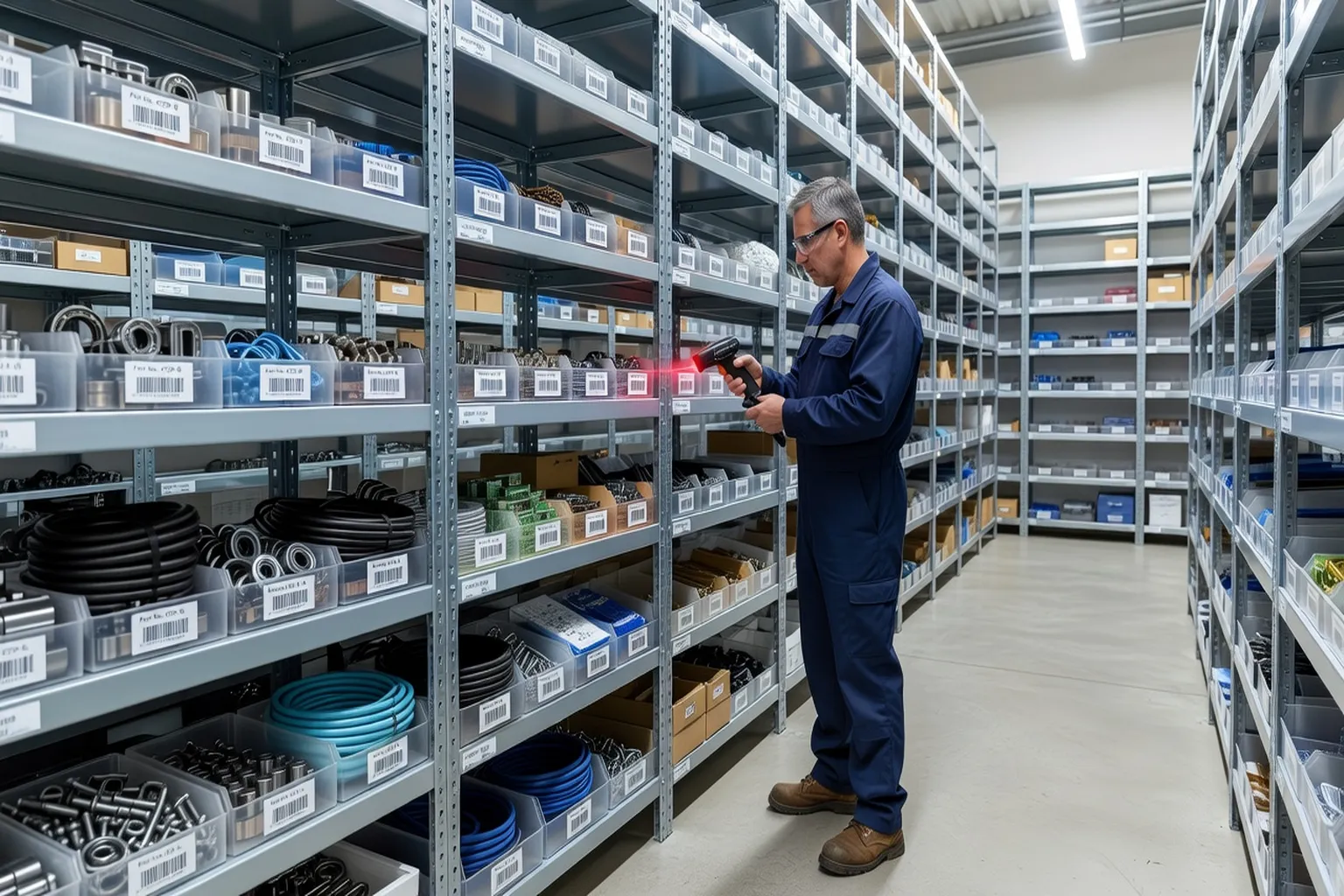
Maintenance, Repair, and Operations (MRO) inventory is one of the most expensive and operationally critical aspects of any industrial maintenance program. Too little inventory means technicians wait for parts, production stops, and emergency freight costs escalate. Too much inventory ties up working capital, occupies warehouse space, and risks obsolescence as equipment is retired. IBM Maximo’s inventory module, when properly configured, helps organizations find and maintain the optimal balance between these competing pressures.
Storeroom Setup in Maximo
A storeroom in Maximo is an organizational unit that manages a physical storage area. Configuring storerooms correctly is the first step in building an effective inventory program.
Each storeroom record in Maximo contains:
- Storeroom code and description: the unique identifier and name of the storage area
- Site: the site to which the storeroom belongs, which determines which work orders can issue materials from it
- Default GL account: the general ledger account to which inventory costs are posted for this storeroom
- Storeroom type: standard, repair, or vendor-managed
Most organizations operate multiple storerooms: a central warehouse that holds high-value or slow-moving spares, and satellite storerooms at production lines or maintenance shops that hold fast-moving consumables and frequently used items. Work orders can be planned with materials sourced from specific storerooms, allowing planners to route material requirements to the nearest stock location.
Bin locations within a storeroom add a second level of precision. Each inventory item can be assigned to one or more bins, each with a bin balance tracked independently. Bin tracking is essential in large warehouses where an item may be stored in multiple physical locations. Maximo’s cycle counting process uses bin assignments to generate targeted count sheets for specific warehouse aisles or sections.
Item Master vs. Inventory Records
Understanding the two-level data model for items in Maximo is essential for avoiding the most common inventory data quality problems.
The item master (managed in the Item Master application) is the global catalog entry for a part. It contains the item description, manufacturer and manufacturer part number, commodity group, unit of measure, and technical specifications from the classification system. The item master record exists at the organization level — it is shared across all sites.
The inventory record (managed in the Inventory application) is the storeroom-specific instantiation of an item master. It contains the current balance, unit cost, reorder point, economic order quantity, bin location, and last count date for that item in that storeroom. The same item master can have inventory records in 20 different storerooms across the organization, each with different balance and reorder settings appropriate to local demand patterns.
This architecture means that changing the description or commodity code on the item master immediately propagates to all inventory records for that item across all storerooms. Organizations that maintain clean item master data — aligned with the asset classification hierarchy in Maximo — significantly reduce the complexity of their inventory operations. Duplicate item records are a persistent problem in organizations that allow decentralized item creation without a catalog governance process.
Reorder Points and Economic Order Quantity
Reorder points (ROP) and economic order quantities (EOQ) are the two parameters that automate inventory replenishment in Maximo. Setting them accurately for each item in each storeroom is the most important configuration task in inventory management.
The reorder point is the inventory balance at which Maximo triggers a purchase requisition. It should be set high enough to cover demand during the replenishment lead time, plus a safety stock buffer to protect against lead time variability and demand spikes.
The formula: ROP = (Average Daily Demand × Lead Time in Days) + Safety Stock
For maintenance spare parts, average daily demand is often low or intermittent. A pump seal used twice per year has an average daily demand of 0.0055 units. For such items, the reorder point might simply be 1 — reorder when the last unit is issued. Critical spare parts with long lead times require a more generous safety stock, sometimes expressed as a fixed minimum on-hand quantity rather than a calculated ROP.
The economic order quantity defines how much to order when the reorder point is reached. EOQ balances the fixed cost of placing a purchase order against the carrying cost of holding inventory. The classic EOQ formula:
EOQ = √(2DS / H)
Where D = annual demand, S = ordering cost per order, H = annual holding cost per unit. In practice, most Maximo inventory teams use a combination of EOQ calculations for high-volume consumables and fixed lot sizes for spare parts where manufacturer minimum order quantities or standard pack sizes dominate the decision.
Maximo automates the reorder trigger through the Reorder Inventory Items scheduled process (a Cron Task). When an issue transaction drops an item’s balance at or below its ROP, the next cron task execution generates a PR line for that item. Organizations with active PM programs and seasonal demand patterns should review ROP settings at least annually to ensure they reflect current demand reality.
Physical Inventory Counts and Cycle Counting
Physical inventory accuracy is the foundation of effective maintenance planning. If Maximo shows 3 bearings on hand but the storeroom actually has 1, the planner will plan a job that cannot be executed — causing exactly the production disruption that the inventory system is supposed to prevent.
Maximo supports two approaches to maintaining accuracy:
Full physical inventory counts every item in every storeroom simultaneously. This process requires temporarily halting all inventory transactions (issues, returns, receipts) during the count. Full counts are disruptive and typically performed annually in smaller operations or not at all in large facilities.
Cycle counting is the preferred approach for large storerooms. Instead of counting everything at once, a subset of items is counted every day or every week on a rotating schedule, ensuring that every item is counted at least once per year (or more frequently for high-value A-items). Maximo’s count book process supports cycle counting by generating count sheets for selected bins or item ranges.
The cycle count process in Maximo:
- Create a count book for the selected storeroom, bin range, or item classification
- Maximo prints count sheets showing item numbers and descriptions (quantities are optionally hidden to avoid bias)
- Counters physically verify quantities and record on count sheets
- Counted quantities are entered into Maximo
- Variance report compares counted quantity against system balance
- Items with variances above the tolerance threshold are recounted
- Approved adjustments are posted, updating balance and GL
Organizations with cycle counting programs that achieve 95%+ record accuracy see measurable improvements in PM compliance rates because planners can trust that materials confirmed available will actually be present when the work order is executed.
ABC Analysis and Classification
ABC analysis in Maximo inventory helps prioritize management attention by classifying items according to their value contribution:
A items (typically 10-20% of SKUs, 70-80% of annual spend): require precise reorder points, regular cycle counts (monthly or quarterly), and active vendor relationship management. Examples include critical spare motors, control valves, and specialized sensors.
B items (30-40% of SKUs, 15-20% of spend): moderate controls, semi-annual cycle counts, and standard purchasing procedures.
C items (40-50% of SKUs, 5-10% of spend): simple controls, annual counts, and potentially bulk purchasing to minimize transaction overhead. Examples include nuts, bolts, fittings, and standard gaskets.
Maximo stores the ABC classification on each inventory record and can use it to filter cycle counting schedules, prioritize buyer attention queues, and set default reorder policies. Updating ABC classifications should be an annual process, as demand patterns shift with changes to equipment fleets and production schedules.
Item sets in Maximo allow inventory items to be shared across storerooms within the same organization, creating a virtual pooling arrangement without physically moving stock. This is particularly valuable for high-value critical spares that are too expensive to stock at every site but need to be accessible across a region.
Vendor Quotes and Purchase Requisition Flow
When Maximo generates a purchase requisition (PR) from a reorder trigger, the requisition flows through a purchasing workflow before becoming a purchase order. Understanding this flow is essential for inventory managers who need to manage replenishment lead times.
Purchase Requisition: the internal authorization request for a procurement. PR lines identify the item, quantity, required date, charge account, and suggested vendor. PRs can be created manually by planners or automatically by Maximo’s reorder process.
Vendor Catalog and Quotes: Maximo maintains a vendor catalog where negotiated prices and lead times for specific items are stored. When a PR is created for an item with a vendor catalog entry, Maximo can automatically populate the suggested vendor and price. For items without a catalog entry, buyers may solicit quotes from multiple vendors before creating the PO.
Purchase Order: once the PR is approved through Maximo’s workflow configuration, the buyer converts it to a PO and sends it to the vendor. The PO tracks the ordered quantity, unit price, expected delivery date, and freight terms.
Receipt: when materials arrive, the storeroom enters a receipt transaction in Maximo. The receipt increases the inventory balance and generates the financial payable in the linked ERP system (if integrated).
Invoice: three-way matching in Maximo verifies that the invoice matches the PO (price) and the receipt (quantity) before payment is approved. Discrepancies are flagged for buyer resolution.
For enterprise Maximo implementations integrated with SAP or Oracle, PRs and POs are typically created in Maximo and transmitted to the ERP for financial processing, with receipts and invoice status flowing back from the ERP to Maximo via the Maximo Integration Framework.
Storeroom Performance Metrics
Managing storeroom performance requires tracking a small set of focused KPIs available from Maximo inventory data:
Inventory Record Accuracy (IRA): the percentage of items where the system balance matches the physical count within tolerance. Target: 95%+. Measured through cycle count results.
Service Level (Fill Rate): the percentage of planned work order material requirements that are available in the storeroom when the job is scheduled to start. A service level below 90% indicates that reorder points or safety stocks are set too low for current demand.
Inventory Turnover: annual usage value divided by average inventory value. Low turnover identifies slow-moving and potentially obsolete stock. Items that have not been issued in 24+ months should be reviewed for disposal.
Dead Stock Value: total value of items with zero issues in the past 24 months. This metric quantifies the working capital locked in obsolete or incorrectly stocked inventory and supports business cases for inventory rationalization programs.
These metrics are generated through Maximo’s built-in query reports and BIRT-based inventory reports, providing inventory managers with the data needed to continuously improve storeroom performance without external tools. Industrial MRO and supply chain management practices are further documented at Industrie du Futur within its Industry 4.0 knowledge base.