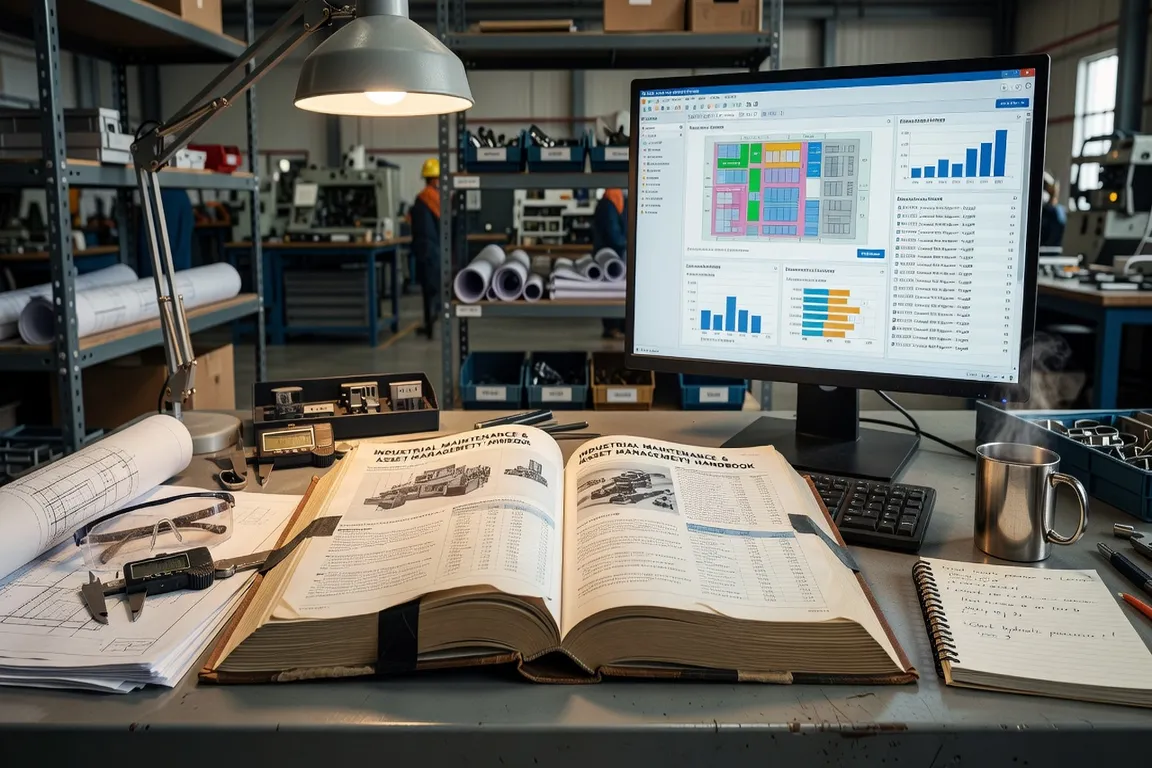
In the world of Enterprise Asset Management and Computerized Maintenance Management Systems, precision in terminology is essential. Whether you are configuring IBM Maximo for the first time, joining a maintenance organization that runs MAS, or preparing for a CMMS selection, understanding the core vocabulary accelerates your ability to contribute from day one.
This glossary defines 50 essential terms — from foundational CMMS concepts to Maximo-specific configurations and modern EAM capabilities. Terms are organized alphabetically by letter group for easy reference.
For a full introduction to IBM Maximo as a platform, see What Is IBM Maximo? before working through the glossary.
A–D
Actuals The recorded real-world data collected after maintenance work is performed: actual labor hours, materials consumed, tools used, and start/end timestamps. Actuals feed cost history on the asset record and are required for accurate maintenance budgeting and reliability analysis.
Asset Any physical or tangible resource — equipment, machinery, infrastructure, or fleet — that an organization owns, operates, or maintains. In Maximo, assets are individually tracked with unique identifiers, classification attributes, and cost history. Proper asset records are the foundation of preventive maintenance, reliability analysis, and capital planning.
Asset Hierarchy A structured representation of assets organized by parent-child relationships. A production line (parent) contains individual machines (children) which contain components (grandchildren). Maximo’s hierarchy supports maintenance management at both aggregate and component levels, enabling roll-up cost reporting and cascading PM schedules.
Backlog The cumulative volume of open or pending work orders that have not yet been scheduled or completed. Monitoring backlog size and aging by priority is a key performance indicator for maintenance team capacity. A growing backlog signals either workload imbalance or insufficient PM-to-corrective ratio.
Classification The process of categorizing assets, locations, work orders, or items based on shared attributes. Classifications in Maximo drive filtering, workflow routing, and reporting. A pump classified as “centrifugal / horizontal / API 610” enables targeted PM templates, failure code filtering, and failure mode analysis across all pumps of that class.
CMMS (Computerized Maintenance Management System) Software designed to automate and optimize maintenance operations: work order management, PM scheduling, inventory tracking, purchasing integration, and reporting. IBM Maximo is an enterprise-grade CMMS with EAM capabilities. For a comparison of leading CMMS platforms, see the CMMS Best Practices guide.
Commissioning The systematic process of verifying, testing, and documenting that new or modified assets are installed and functioning as intended before full operational service begins. Maximo supports commissioning workflows through dedicated work order types, inspection checklists, and acceptance sign-off tracking.
Condition Monitoring The continuous or periodic assessment of an asset’s health using sensors, diagnostics, and data analysis to detect early signs of degradation. Techniques include vibration analysis, thermography, oil analysis, and acoustic emission. Condition monitoring data in Maximo triggers work orders automatically when measurements exceed defined thresholds.
Corrective Maintenance Reactive repair or restoration of assets after a failure or malfunction. Unplanned and initiated in response to detected faults. Excessive corrective maintenance — typically above 15-20% of total maintenance volume — signals opportunities for improved PM programs or reliability engineering.
Crew A defined group of maintenance personnel with associated skills, certifications, and availability in Maximo. Crews are assigned to work orders via the Assignment Manager, enabling workload balancing and shift scheduling across maintenance teams.
Criticality A rating that measures the impact of an asset’s failure on production, safety, cost, or compliance. High-criticality assets receive prioritized maintenance, dedicated spare parts, and enhanced monitoring. Maximo supports criticality scoring through classification attributes or dedicated criticality analysis applications.
E–H
EAM (Enterprise Asset Management) An extension of CMMS that integrates asset lifecycle management with enterprise business processes: financials, procurement, HR, compliance, and capital planning. EAM provides a holistic view of asset cost from acquisition through decommission. IBM Maximo Application Suite (MAS) is a leading EAM platform.
Enterprise Service A component of Maximo Integration Framework (MIF) that defines how Maximo receives and processes data from external systems. Enterprise services accept inbound messages (XML, JSON, flat file), map them to Maximo object structures, and create or update records. Critical for receiving asset data from ERP systems, IoT platforms, or GIS.
Escalation An automated action triggered in Maximo when a condition is met over time — for example, a work order remaining in “Waiting Approval” status for more than 24 hours triggers an email to the supervisor. Escalations enforce SLAs and prevent work from stalling silently in the queue.
Failure Code A standardized classification applied to work orders to document the Problem (symptom), Cause (root cause), and Remedy (corrective action) for an asset failure. Consistent failure code entry is required for MTBF calculation, failure mode analysis, and reliability trend reporting.
Hazard A documented source of potential harm associated with a maintenance task — electrical energy, confined space, chemical exposure, or working at height. In Maximo, hazards are linked to safety plans and work orders, ensuring technicians receive appropriate warnings and that required precautions are in place before work begins.

Health Score (MAS Health) A composite metric in Maximo Application Suite that scores an asset’s overall condition based on multiple inputs: sensor readings, work order history, inspection results, and age. Health scores enable portfolio-level asset condition visualization and inform capital replacement planning.
I–L
Industry 4.0 The fourth industrial revolution, characterized by the convergence of IoT, AI, big data, and cloud computing in industrial environments. For maintenance, Industry 4.0 enables real-time asset monitoring, predictive analytics, and autonomous maintenance workflows. Digital transformation resources like Industrie du Futur cover the integration of these technologies in enterprise maintenance contexts.
Integration Framework (MIF) Maximo Integration Framework is the built-in integration architecture for Maximo 7.6. It provides publish channels (outbound), enterprise services (inbound), object structures (data definitions), and endpoints (delivery mechanisms) for exchanging data with ERP systems, IoT platforms, and other enterprise software.
IoT (Internet of Things) The network of connected sensors and devices embedded in assets to collect real-time operational data — vibration, temperature, pressure, current draw, or flow rate. In MAS, IoT data feeds MAS Monitor for real-time anomaly detection and condition-based maintenance triggering.
Item Master The central catalog of spare parts, materials, and consumables in Maximo. Each item record contains part number, description, unit of measure, storeroom balances, reorder parameters, and supplier information. Accurate item master data is the foundation of MRO inventory management and storeroom efficiency.
Job Plan A reusable maintenance procedure template in Maximo defining task sequences, labor estimates, required materials, tools, and safety requirements. Job Plans are linked to PM records so that auto-generated work orders inherit planned resources automatically. Well-maintained job plans reduce planning time and improve first-time fix rates. See the Maximo Work Orders Guide for guidance on linking job plans to preventive maintenance.
KPI (Key Performance Indicator) A measurable metric used to evaluate maintenance performance. Common maintenance KPIs include PM compliance rate, MTBF, MTTR, OEE, emergency maintenance ratio, and backlog hours. Maximo’s reporting framework supports KPI tracking through Start Center portlets, BIRT reports, and (in MAS) built-in dashboards.
Labor Code A unique identifier assigned to a technician or labor category in Maximo, carrying attributes including skill set, crafts, certifications, standard hourly rate, and availability calendar. Labor codes are used for work order assignment, actuals capture, and labor cost reporting.
Location A fixed physical place in the asset hierarchy — a building, floor, plant area, or equipment room — independent of any specific asset. In Maximo, locations are parent nodes in the location hierarchy and can have assets installed at them. Work orders can be raised against locations when no specific asset is identified.
LOTO (Lockout/Tagout) A safety procedure ensuring that hazardous energy sources are isolated before maintenance work begins. Maximo supports LOTO compliance by linking lockout/tagout procedures to safety plans, hazard records, and work orders — creating a documented chain of authorization for each isolation step.
M–P
MAS (Maximo Application Suite) IBM’s unified cloud platform integrating traditional Maximo EAM capabilities with AI and IoT applications. MAS includes: Manage (core EAM/CMMS), Monitor (IoT and anomaly detection), Health (asset health scoring), Predict (predictive maintenance AI), and Visual Inspection (computer vision quality control).
Measurement Point A specific location on an asset where operational data is collected — bearing temperature, motor vibration velocity, oil pressure, or transformer voltage. Measurement points in Maximo are linked to meters and trigger work orders or alerts when readings exceed configured thresholds.
Meter A counter or gauge in Maximo that tracks accumulated usage or condition data for an asset — operating hours, miles traveled, production cycles, or fluid levels. Meters drive usage-based PM scheduling (e.g., service every 500 operating hours) and condition monitoring alerts.
MIF (Maximo Integration Framework) See Integration Framework.
MTBF (Mean Time Between Failures) A reliability metric expressing the average operating time between asset failures. Higher MTBF indicates greater reliability. MTBF is calculated from asset failure history in Maximo’s failure reporting module and is used to benchmark assets, assess PM effectiveness, and justify equipment replacement decisions.
MTTR (Mean Time to Repair) The average time required to restore an asset to operational condition after a failure, measured from failure detection to return to service. Lower MTTR reflects better maintenance responsiveness and resource preparedness. Tracked through work order actual start and completion times in Maximo.

OEE (Overall Equipment Effectiveness) A production KPI combining availability (% of planned time the asset is running), performance (speed vs. theoretical maximum), and quality (% of good output). OEE of 100% means perfect production. Maximo supports OEE tracking by integrating downtime records, work order actuals, and production data from MES systems. Industry 4.0 manufacturing organizations track OEE improvements through digital transformation programs covered by resources like i-actu.fr.
Object Structure A configuration element in MIF that defines which Maximo business objects and attributes are included in an integration message. The MXWO object structure for work orders, for example, includes WORKORDER plus related objects like WOLABOR, WOMATERIAL, and WOSTATUS. Object structures are the schema definition for all MIF integrations.
Parent-Child Relationship The hierarchical connection between assets or locations in Maximo. A parent asset (pump station) contains child assets (individual pumps). Maintenance costs, PM triggers, and failure data can be analyzed at both parent and child levels. Proper parent-child modeling is essential for reliable cost roll-up reporting.
Permit to Work A formal authorization required for high-risk maintenance activities: hot work, confined space entry, electrical isolation, or high-pressure line breaking. Maximo manages permit workflows by linking safety plans, hazard assessments, and LOTO procedures to work orders, with approval routing through workflow.
Preventive Maintenance (PM) Scheduled inspections, adjustments, lubrications, or replacements performed proactively to prevent failure and extend asset life. In Maximo, PMs are configured with frequency (time, usage, or condition), job plan linkage, and lead time for work order generation. Effective PM programs target 80%+ planned maintenance ratio.
Priority A field on work orders indicating urgency — typically scaled from Emergency (1) to Routine (5). Priority drives scheduling, resource allocation, and SLA tracking. Consistent priority assignment requires a decision matrix that maps equipment criticality and failure impact to priority levels.
Publish Channel A MIF component that defines how Maximo sends outbound messages to external systems when records are created, updated, or deleted. A Work Order Publish Channel fires when a work order status changes to COMP, sending the completed work order data to an ERP for financial posting.
Purchase Order (PO) A formal procurement document authorizing a supplier to provide goods or services. In Maximo, POs are linked to work orders for material traceability and to storeroom receipts for inventory update. Maximo-to-ERP PO integration ensures financial commitments are reflected in both systems.
Purchase Requisition (PR) An internal request initiating the procurement process for non-stock materials needed for a work order. In Maximo, PRs are created directly from the work order materials tab, routed for approval, and converted to POs after authorization.
Q–Z
QA/QC (Quality Assurance / Quality Control) QA encompasses the processes and procedures that prevent defects in maintenance work; QC involves inspection and verification during or after work execution. Maximo supports QA/QC through job task sign-off requirements, inspection checklists, and supervisor completion review before work orders are closed.
Reliability Engineering The engineering discipline focused on designing and improving the reliability, maintainability, and availability of physical assets. Reliability engineers use failure data from Maximo (MTBF, failure codes, downtime records) to identify failure modes, optimize PM intervals, and calculate the business case for maintenance strategy changes.
Reorder Point The inventory level at which a new purchase requisition is automatically generated in Maximo to replenish stock before it runs out. Calculated based on average daily usage and supplier lead time. Properly set reorder points prevent stockouts that delay maintenance while avoiding excess inventory carrying costs.
Safety Plan A documented set of hazards, precautions, and required safety steps associated with a type of maintenance work in Maximo. Safety plans are linked to job plans and work orders, ensuring technicians receive hazard information and that permits, LOTO procedures, and PPE requirements are communicated before work begins.
Shift A defined work period (day, afternoon, night) assigned to labor resources in Maximo. Shift configuration supports labor availability modeling, workload scheduling across crews, and overtime tracking. Proper shift setup is required for the Assignment Manager to correctly show resource availability.
SLA (Service Level Agreement) A commitment defining acceptable response and resolution times for maintenance work by priority or asset class. In Maximo, SLAs are enforced through escalation rules that trigger notifications when work orders approach or exceed agreed timeframes.
Storeroom A physical or virtual inventory location where spare parts, materials, and consumables are managed. Maximo’s storeroom module tracks stock levels, reorder points, issue transactions, physical inventory counts, and bin locations across multiple storerooms in complex organizations.
Uptime The percentage of time an asset or system is available for its intended function. Uptime is the complement of downtime: Uptime % = (Total Operating Time ÷ Total Time) × 100. Improving uptime through better PM programs and predictive maintenance is the primary business goal of enterprise EAM investment. For strategies that improve uptime measurement and reporting in Maximo, see the Maximo Reporting Guide.
Work Center A logical grouping of related maintenance labor resources dedicated to a specific type of work — electrical, mechanical, instrumentation, or civil. Work centers support labor assignment, capacity planning, and cost center allocation in Maximo.
Work Order The fundamental transaction record in Maximo that documents, authorizes, and tracks a unit of maintenance work from creation to completion. Work orders capture the asset, location, task description, required resources, safety requirements, actual costs, and failure codes. Every maintenance activity should have a corresponding work order to ensure full cost and history traceability. For work order management best practices, see the Maximo Work Orders Guide.
Work Type A classification field on work orders indicating the nature of the work — Corrective, Preventive, Emergency, Inspection, or Project. Work type drives KPI segregation, cost reporting, and workflow routing. Consistent work type assignment is required for meaningful PM compliance rates and emergency maintenance ratio analysis.